The ONLY crypto payment system built for arcades
New · Crypto & Cash App
Scan. Pay. Play.
Every terminal gets a QR sign. Players pay from their phone with Cash App or any Lightning wallet, and NiceSweeps loads the terminal as soon as the payment settles. No cashier line, no bill jams.
One of a kind
The ONLY crypto payment system built for arcades.
Generic crypto checkouts were made for web stores. NiceSweeps was made for your floor: every payment is tied to a terminal, loads that seat automatically, and lands in the same ledger as your cage and kiosk.
How it works
From pocket to terminal in three taps.
Players don’t need to know anything about bitcoin. If they have Cash App, they already have a Lightning wallet.
Scan the terminal sign
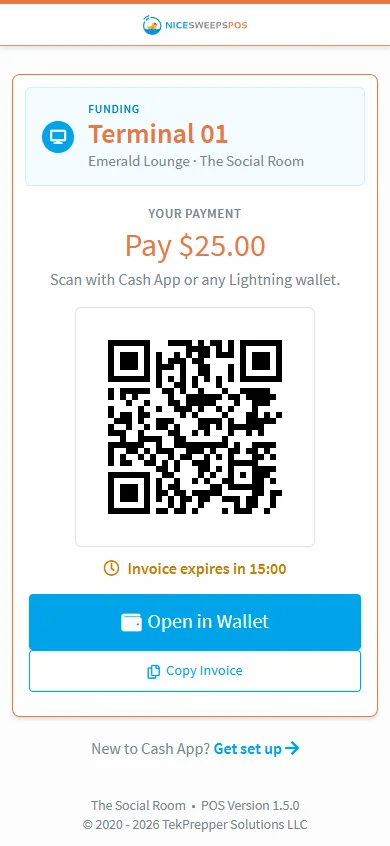
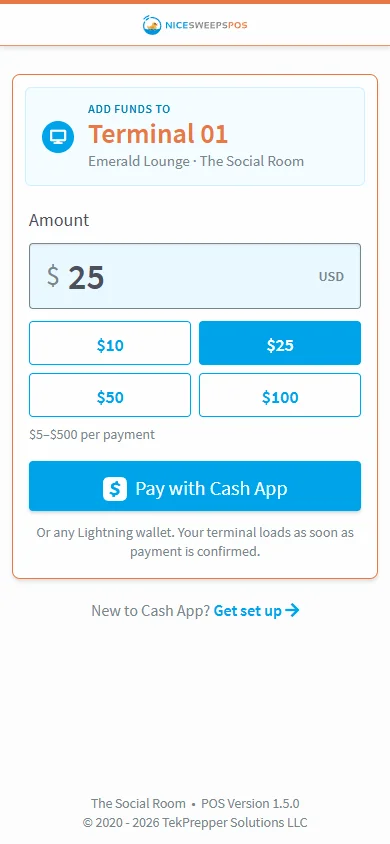
The phone camera opens a page that already knows the device, terminal and room. The player picks $10, $25, $50 or $100, or types an amount.
Pay with Cash App or Lightning
A fresh Lightning invoice is created through your BTCPay Server. Players scan it in Cash App or any Lightning wallet. Eligible Cash App users can pay straight from their Cash balance.
The terminal loads itself
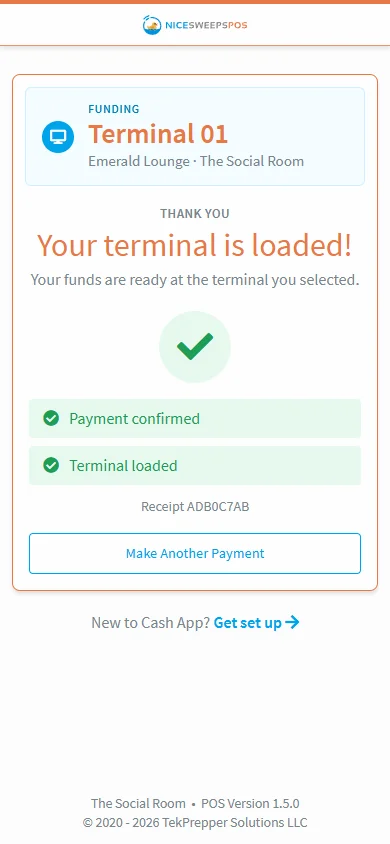
Once BTCPay confirms the payment, NiceSweeps records it and sends a credit to the terminal. The player watches it go from “Payment received” to “Terminal loaded”.
Screens shown from the NiceSweeps presentation demo.
Your money, your node
Non-custodial by design.
Bitcoin lands in a BTCPay Server store that you control. NiceSweeps never gets spending or withdrawal permission, and every amount is recorded in USD so your books stay normal.
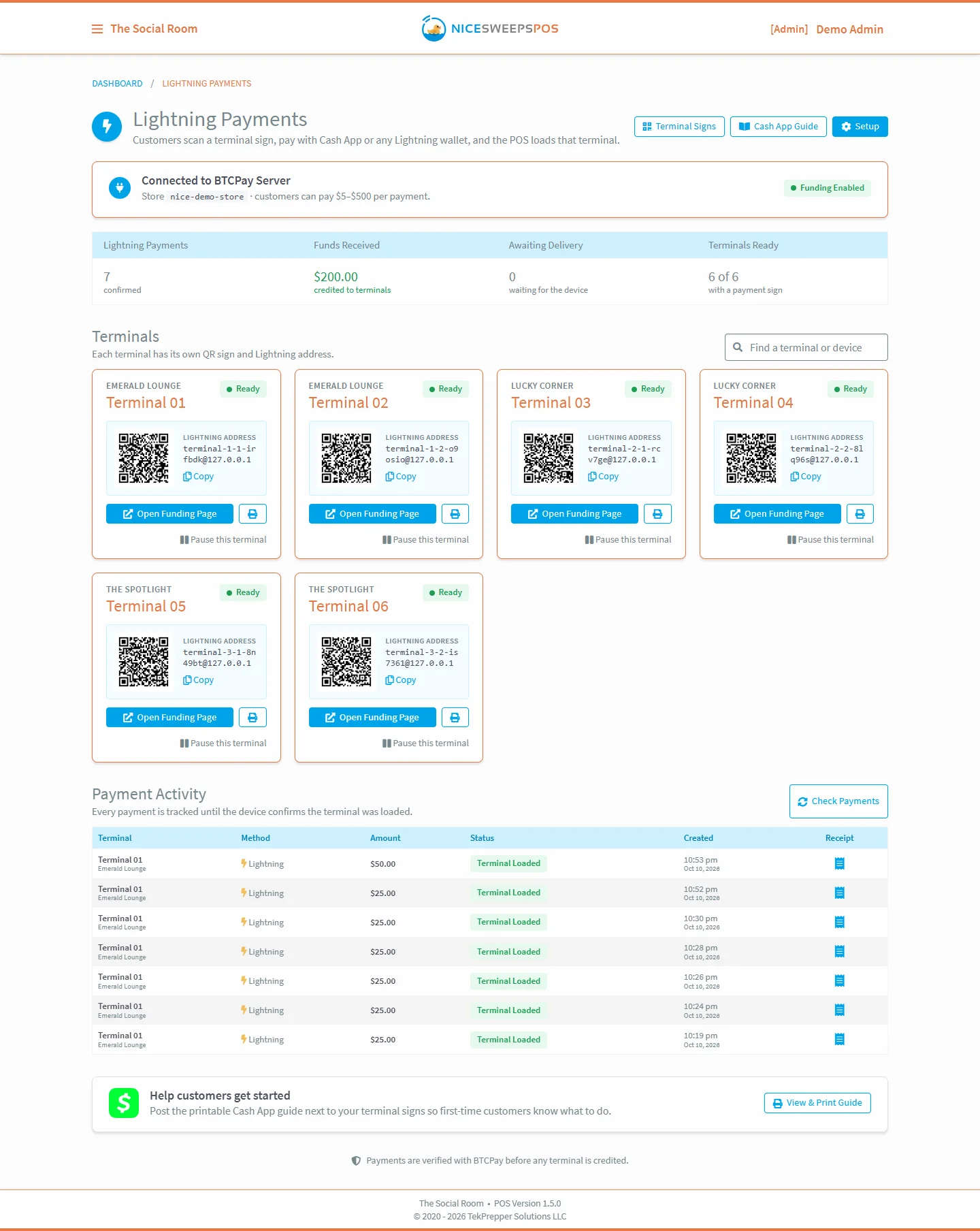
- BTCPay Server 2.x with Lightning and LNURL-pay, connected through the Greenfield API
- A Lightning address per terminal, like
terminal-12-2-a1b2c3@pay.your-room.com - Configurable limits: $5–$500 per payment by default, adjustable by the operator
- Every payment in the ledger next to cage and kiosk transactions
Built to be boring
Safeguards for real money.
Payment code has to be dull and predictable. Here’s what stops a terminal from ever being credited by mistake.
Settled means credited
A terminal is credited only after BTCPay confirms the invoice settled. A browser redirect never counts as proof of payment.
Signed webhooks
Every BTCPay webhook is checked against its HMAC signature before NiceSweeps acts on it.
No double credits
Database locks make sure an invoice can only ever load a terminal once, even if events arrive twice.
Reconciles every minute
A background job re-checks open invoices every minute and recovers any payment that was interrupted.
Pause anytime
Turn off online payments for the whole room, or pause a single terminal, with one click.
Two receipts of truth
Players see “Payment received”, then “Terminal loaded” when the device confirms, and the status survives a refresh.
Everything in the box
Setup, signs and a guide for your players.
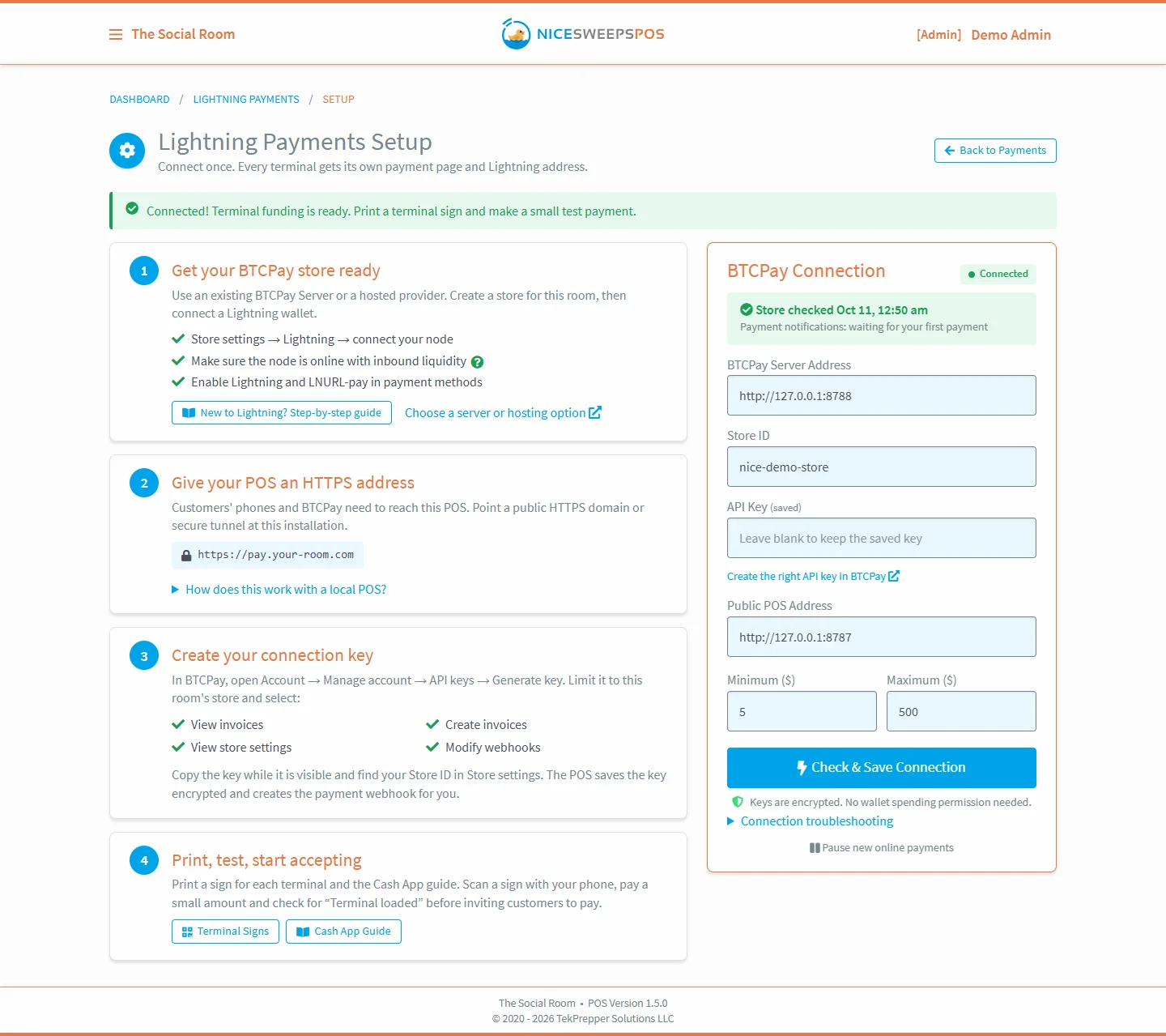
4-step setup wizard
Connect BTCPay, set limits and go live. A “New to Lightning?” guide walks first-timers through it.
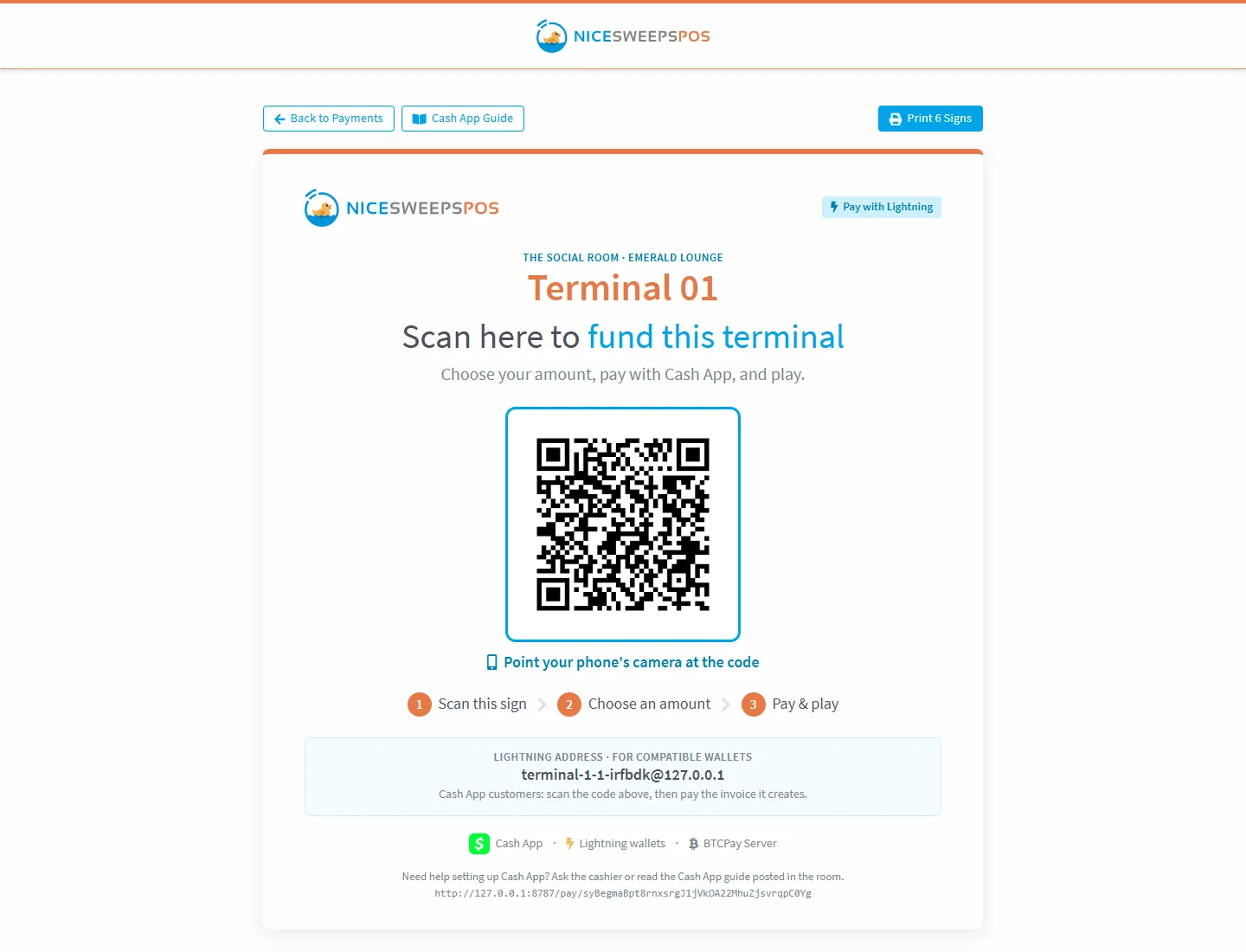
Printable terminal signs
Print a QR sign for every terminal straight from the POS, plus a Cash App guide to post beside them.
Cashier button
Cashier screens show a “Pay Online with Cash App or Lightning” button for whichever terminal is selected.
Works with your network
All you need is a public HTTPS domain or tunnel to your local POS. HQ cloud isn’t required.
Player guide
A friendly Cash App guide at /pay/cash-app gets first-time customers set up.
FAQ
Questions owners ask
Do my players need to own bitcoin?
No. Cash App can pay Lightning invoices, and eligible users can pay from their regular Cash balance. Any other Lightning wallet works too.
Does NiceSweeps ever hold my money?
Never. Payments settle to your own BTCPay Server store. NiceSweeps can create invoices and read their status, but it can’t spend or withdraw funds.
What do I need to run it?
The latest NiceSweeps POS, a BTCPay Server 2.x store with a Lightning node that has inbound liquidity, and a public HTTPS domain or tunnel to your POS. We can help you get each piece in place.
What happens if the internet drops mid-payment?
The reconcile job re-checks open invoices every minute and recovers interrupted ones. A terminal is only ever credited once, and only for a settled invoice.
Can I turn it off?
Yes. Pause online payments for the whole room, or pause a single terminal, from the Payments dashboard.



Put the only arcade-built crypto payments on every seat.
See NiceSweeps running on real hardware. Book a call, request a demo kit, or ask about competitor trade-in pricing.